
Stoop Playlists
Turn your years of Spotify listening into Apple Music playlists. Claude digs through your history and drafts them; you look them over and choose which ones get made.
Download for Mac Free. Version 1.0, for macOS 15 or later.
How it goes
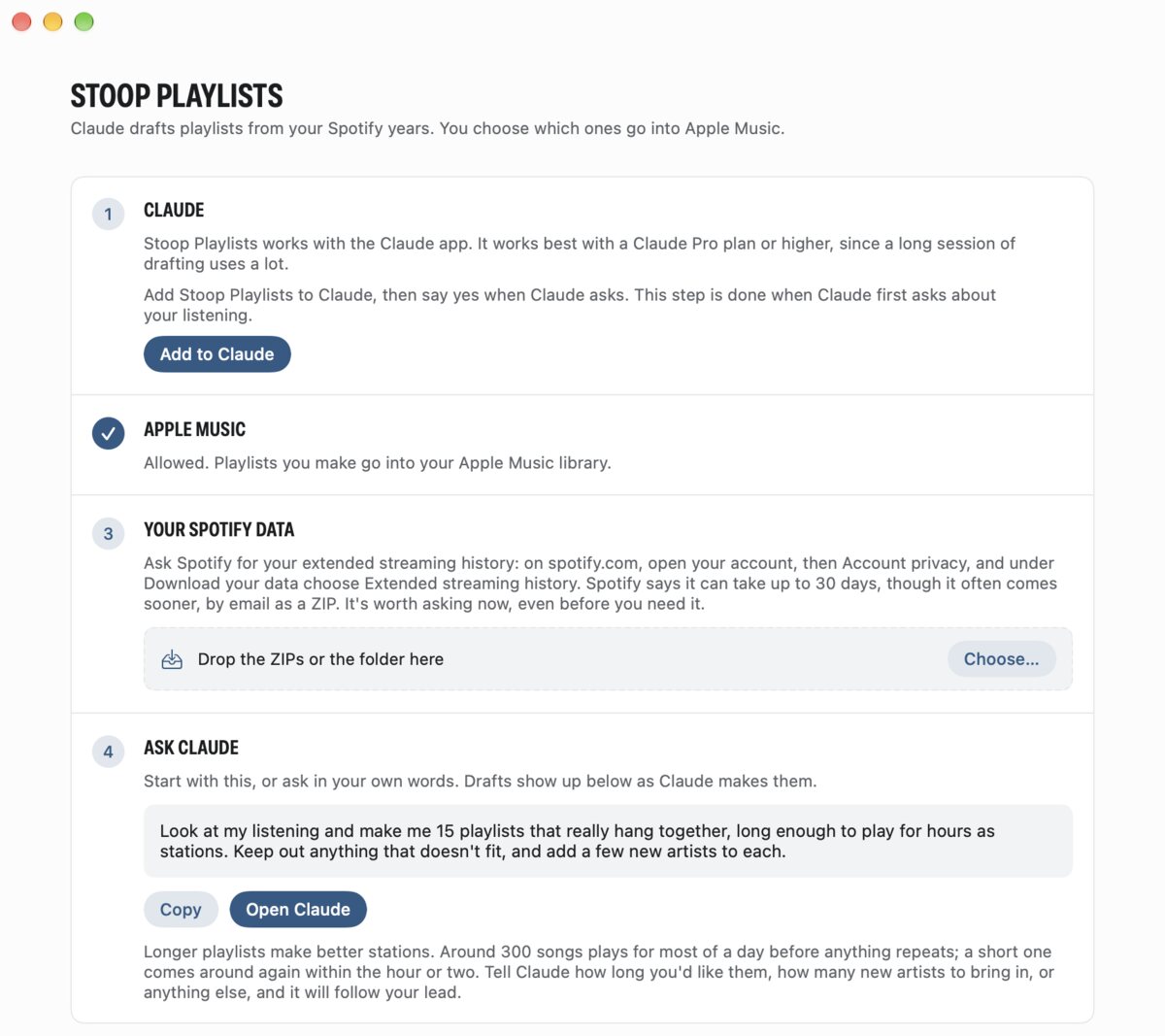
Open the download, move Stoop Playlists to your Applications folder, and open it. It walks you through four steps.
Add it to Claude
One click adds Stoop Playlists to the Claude app on your Mac. Say yes when Claude asks. There's nothing to configure.
Allow Apple Music
So the app can find your songs on Apple Music and make the playlists you choose.
Drop in your Spotify data
The ZIP Spotify sends you. The app shows what it found: how many plays, which years, your most played artists.
Ask Claude
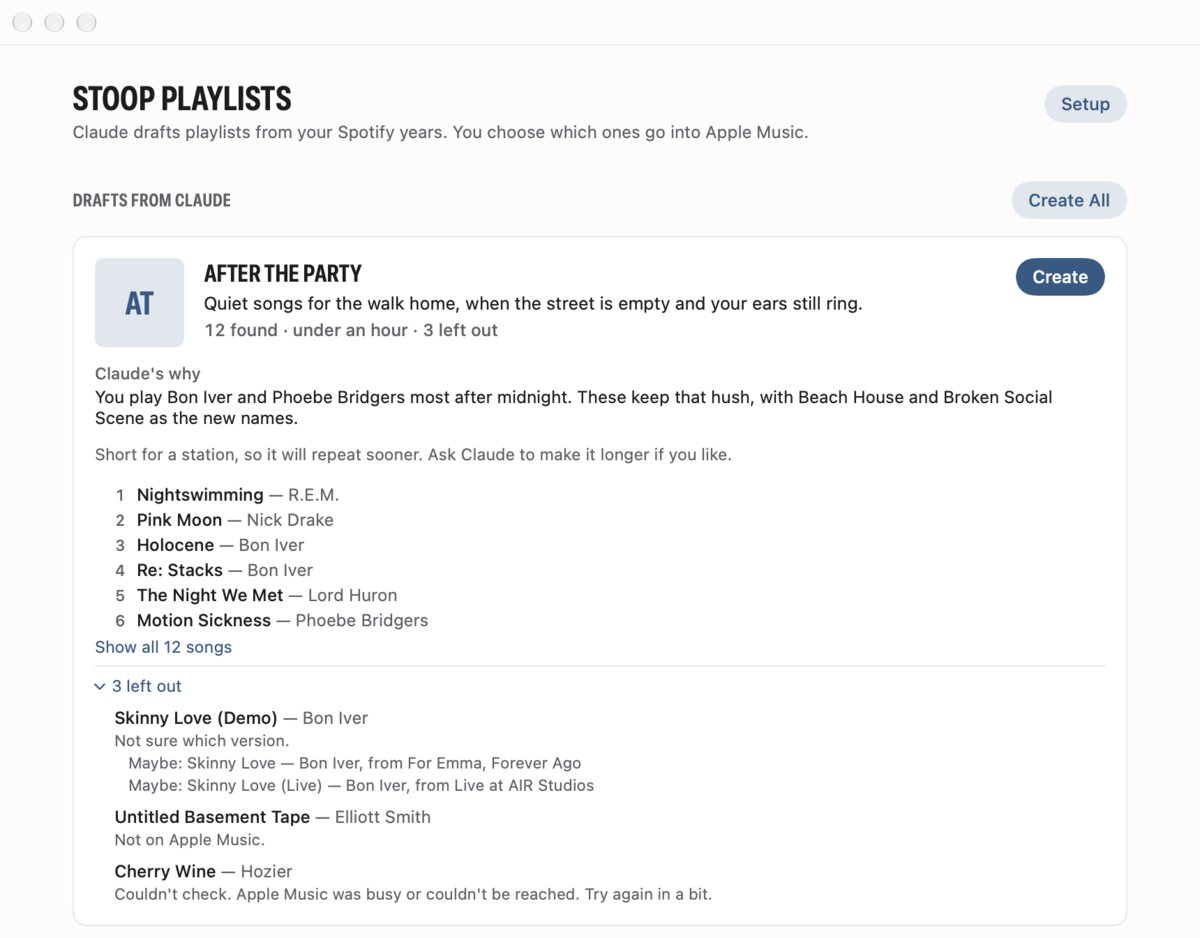
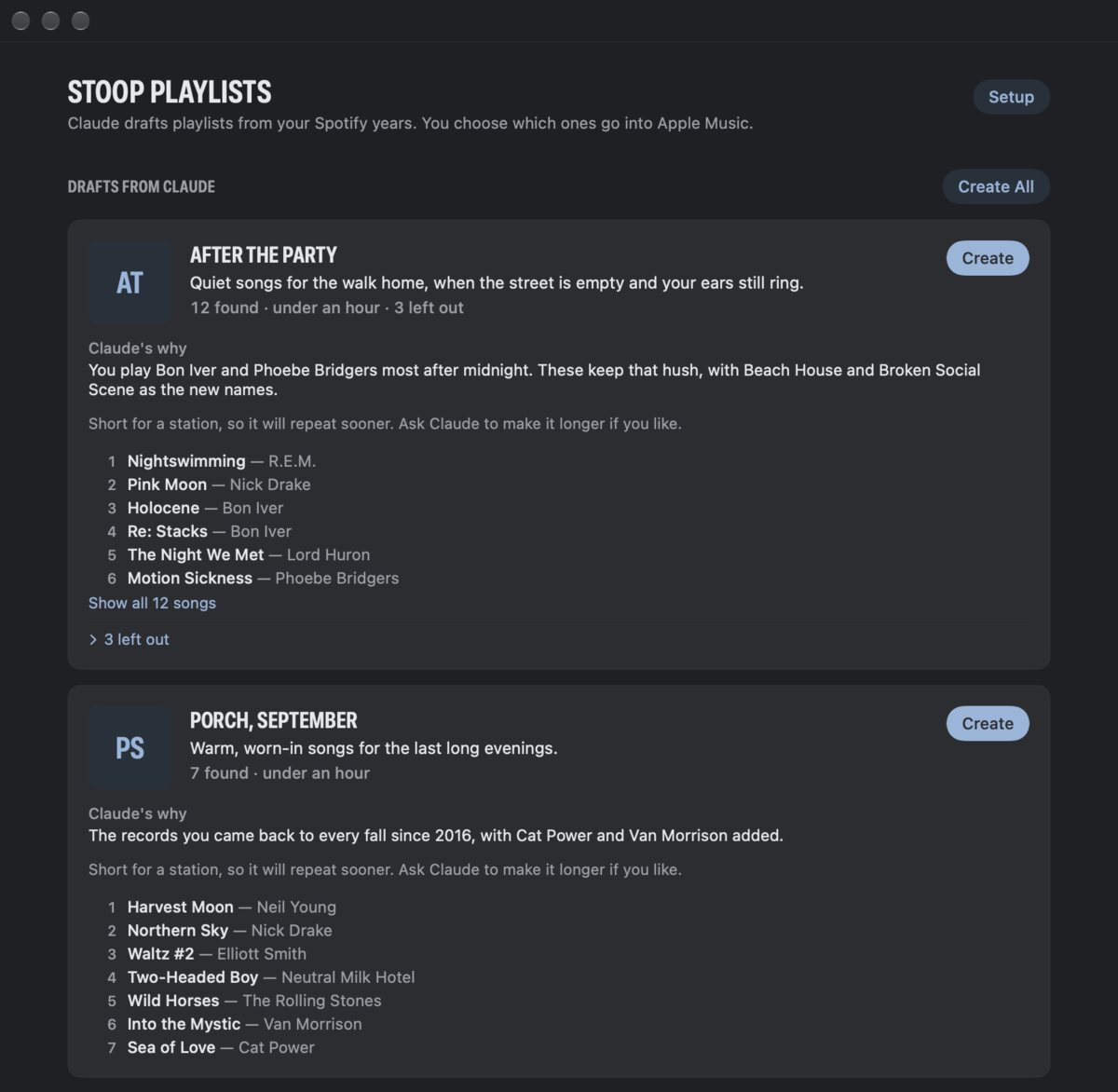
Start with the line the app gives you, or ask in your own words: a mood, a year, the deep cuts you forgot. Drafts appear in the app as Claude makes them. Steer them in plain words, then press Create on the ones you want.
What it looks like
What you need
- A Mac on macOS 15 or later.
- The Claude desktop app, signed in. It works best with a Claude Pro plan or higher, since a long session of drafting uses a lot.
- An Apple Music subscription.
- Your Spotify data export. On spotify.com, open your account, then Account privacy, and under Download your data ask for your extended streaming history. Spotify says it can take up to 30 days, though it often comes sooner, by email. It's worth asking now, even before you need it.
Your history stays yours
There are no accounts, and nothing is sent to us. Your Spotify export stays on your Mac. Song and artist names go to Apple Music to find the songs. Claude sees only what it asks the app for, inside your own Claude conversation. The only thing the app asks stoop.fm is whether there's a newer version. Read the details.
Questions
- Why does Claude only draft, and I press Create?
- Because a playlist in Apple Music can't be taken back by an app. Claude can read your history, search Apple Music and draft as much as you like, but it has no way to change your library. You see every song first, and you decide.
- Why can't I change a playlist once it's made?
- Apple Music only lets apps add songs to a playlist, not remove them or delete it. So a change makes a new playlist: ask Claude to revise the draft, and create it again. You can delete the old one in the Music app.
- Why make them long?
- Longer playlists play for hours before anything repeats, and they make better stations. Around 300 songs plays for most of a day. Claude will ask how long you'd like them. If you'd like to hear yours as radio, Stoop FM, our free app for iPhone, iPad and Mac, can make any of them into a station.
- Does it need Spotify?
- Only your data export. You don't need a Spotify account once you have it, and the app never signs in to Spotify.
- Is it free?
- Yes. It works through your own Claude plan and your own Apple Music subscription, so there's nothing for us to charge for. No ads, no accounts.
- Something isn't working.
- Write to [email protected].
Stoop Playlists works with Claude, Apple Music and your Spotify data export. It isn't made or endorsed by Anthropic, Apple or Spotify.